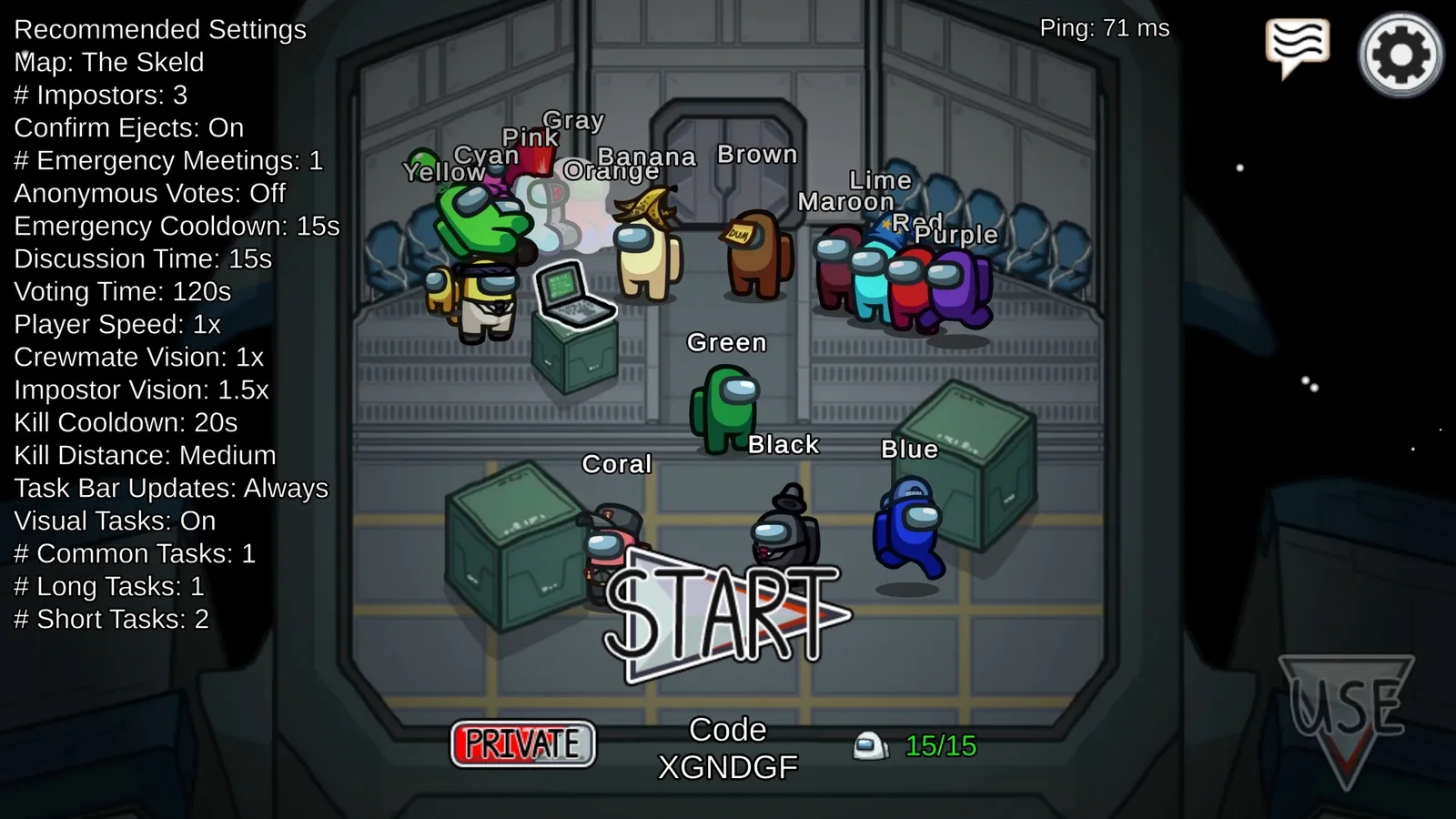
The easiest way to set up an Among Us lobby is to press Recommended Settings, then adjust only what you want to change. Use one Impostor for small lobbies and two once you have 8 or more players. Free chat needs an account, and younger players may need a parent's permission. This guide covers the main options.
Impostor count
Fewer than eight players works best with one Impostor, and eight or more suits two. The game allows up to three. More Impostors make the crew's job harder, so only add them when the lobby is large.
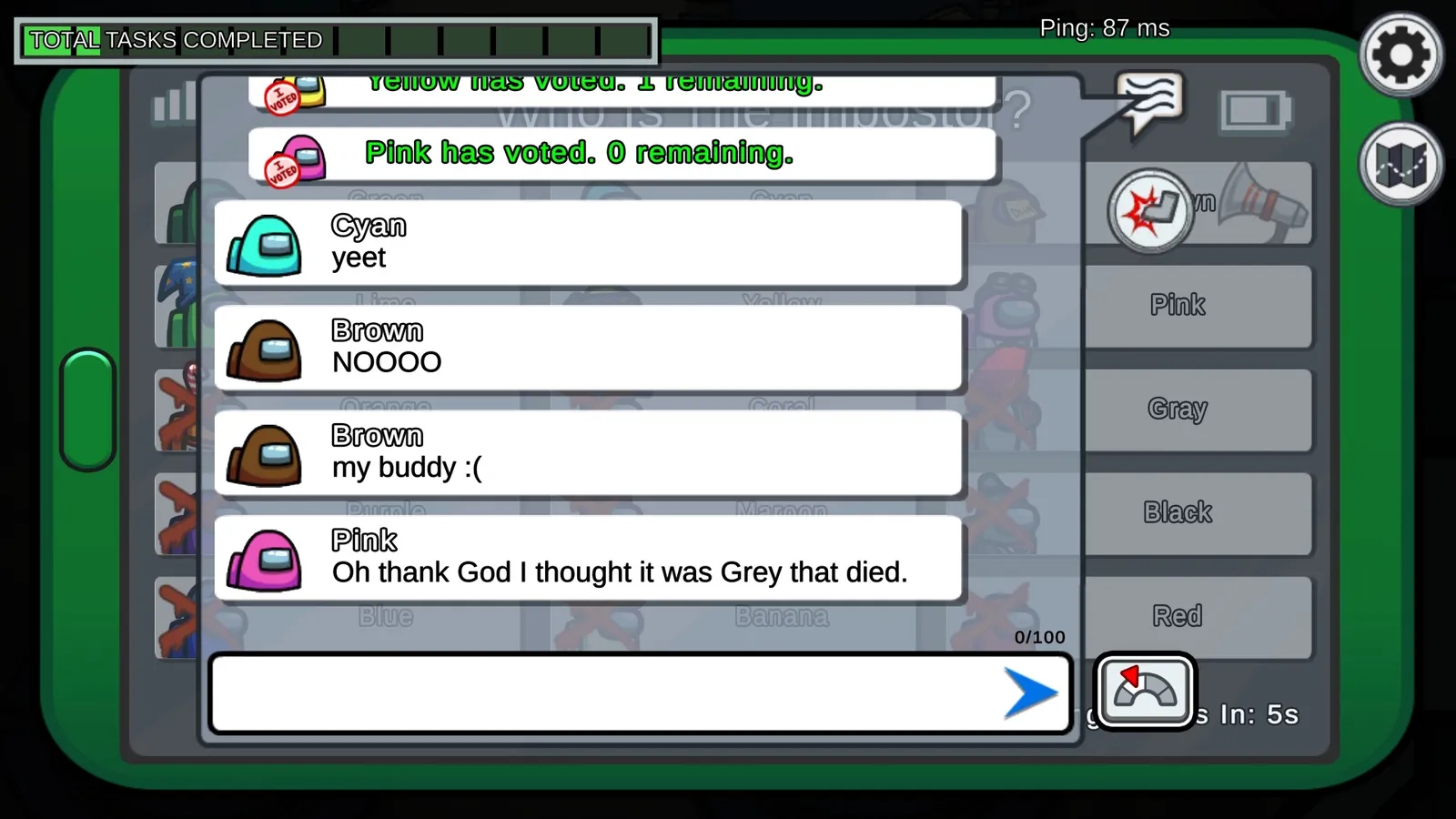
Free chat appears in the meeting screen.
Core settings
| Setting | What it changes |
|---|---|
| Kill cooldown | How long an Impostor waits between kills. Community lobbies often run 25 to 45 seconds. |
| Player speed | How fast everyone moves. |
| Crewmate vision and Impostor vision | How far each team sees. Impostors usually see further. |
| Discussion and voting time | How long meetings last. Discussion can be set from 0 to 120 seconds and voting from 0 to 300. |
| Emergency meetings and cooldown | How many meetings each player can call and how long they wait between them. |
| Common, long and short tasks | How many of each task type every crewmate gets. |
| Confirm ejects | Whether the game reveals if the ejected player was an Impostor. |
| Visual tasks | Whether tasks like the MedBay scan show visible animations. |
| Anonymous votes | Whether votes are hidden after the meeting. |
Making games feel better
Many hosts shorten voting time and kill cooldown, raise player speed slightly and turn off confirm ejects so that mistakes cost more. Turning off visual tasks removes a common way to clear yourself. If your group is new, start with the recommended values and change one setting at a time. Each role also has its own cooldowns and chances, as explained in the roles guide on this site.
Free chat vs quick chat
Free chat lets you type anything, while quick chat limits you to preset phrases. To use free chat you need an account; without one you are in Guest Mode with quick chat and a random name. Players under the age of digital consent in their country, usually 13, need a parent or guardian's permission for free chat and name changes. These rules come from the developer's account information, so check the in-game account screen if anything has changed.
Starting presets
For a casual group of six, keep one Impostor, leave vision at the defaults and use a kill cooldown around 30 seconds with a 45 second discussion. For a group of ten or more, use two Impostors, a slightly shorter kill cooldown and a faster voting time so the pace does not drag. Players often add speed bonuses of about a quarter on top of the default, and a shorter emergency cooldown. These are community habits and not rules, so change them if your group wants a different pace.
Private games
Choose Private when you create the lobby and share the six-letter game code with friends. Public lobbies are open to anyone.
Beans, Stars and Cosmicubes
Beans are earned by playing matches and are spent on cosmetics. Stars are the premium currency, and on mobile you can now earn a small number of Stars a day by watching ad rewards; the daily cap has changed over time and differs by country, so check the shop. Cosmicubes are themed cosmetic collections. Exact earn rates change, so look at the shop for current values.
Quick tips
- Set discussion time to at least 30 seconds, or meetings turn into guessing.
- Do not stack too many roles at once in a small lobby.
- Decide chat rules before the game starts.
- See the Among Us page for PC performance tips.