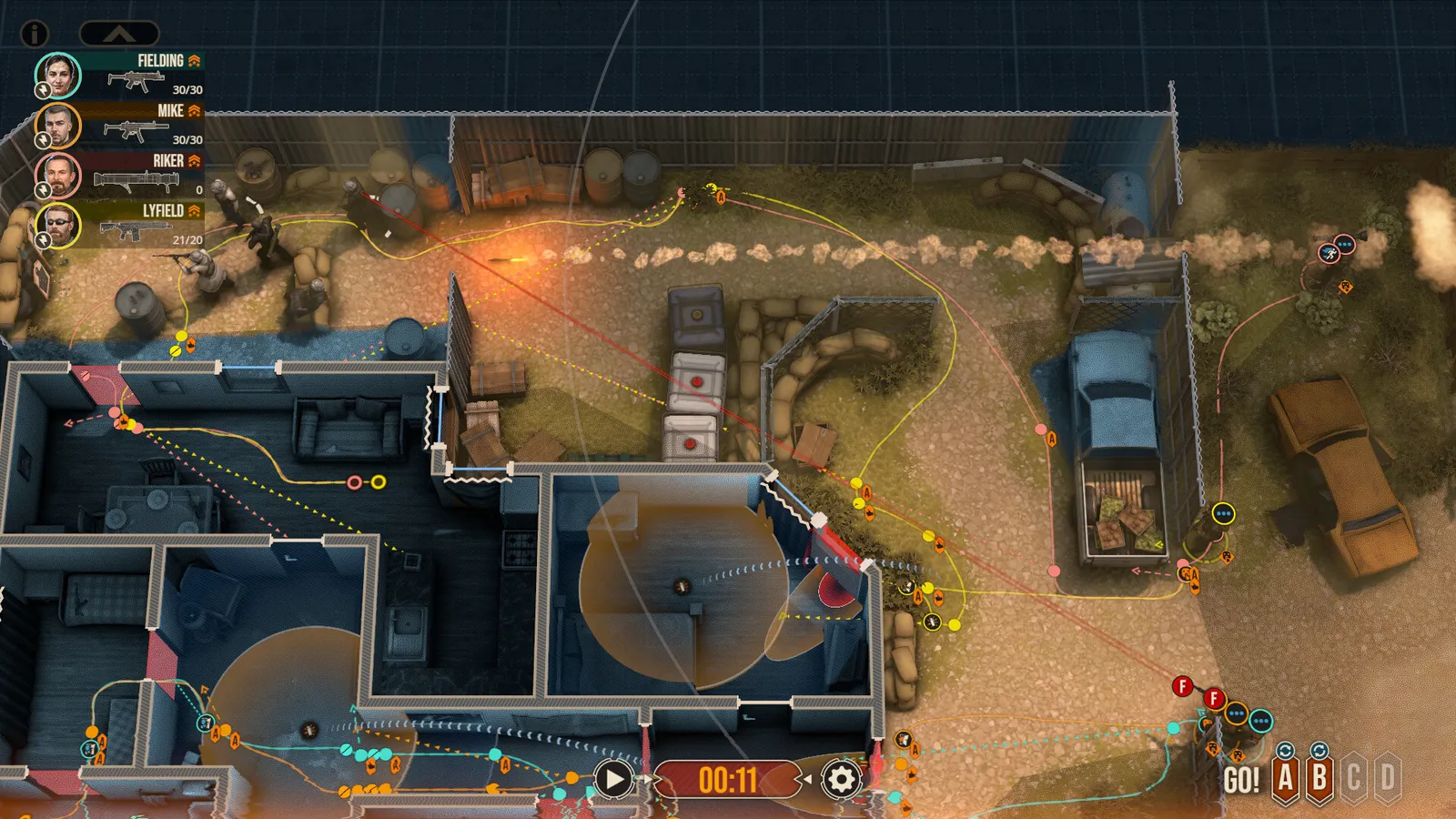
Door Kickers 2 is a pause-at-will tactics game: you draw a path and an aim order for every trooper, tie their moves together with go codes, and then watch the plan meet reality. Learn the three aim orders, use go codes to keep the squad in step, and always cover whoever is working on a door, and most early missions fall apart in your favour.
What is Door Kickers 2 and where do I start?
Door Kickers 2: Task Force North left Early Access on 10 February 2025 (it entered Early Access in November 2020) and costs 24 euros on Steam. You command a small special-operations squad in the fictional country of Nowheraki: rescue hostages, capture or kill high-value targets, defuse bombs. You start with the U.S. Army Rangers; the Nowheraki SWAT and the CIA unlock as you finish single missions (see the CIA guide). The game ships with more than 90 handcrafted single missions, two campaign types, a random mission generator and Steam Workshop support. Single missions are the right place to learn before you commit a squad to a campaign, where losses can be permanent.
How does planning work in Door Kickers 2?
Every mission starts with a deploy phase. You pick which customised troopers go in, adjust their loadout, and place them on the map. Then you draw routes: click and drag from a trooper to lay a path, and click any point on that path to reshape it from there. Time runs in real time, but you can pause at any moment (space bar), inspect what you can see, and give new orders as often as you like. Slow motion is on the L key if you want to watch a fight without losing control of it.
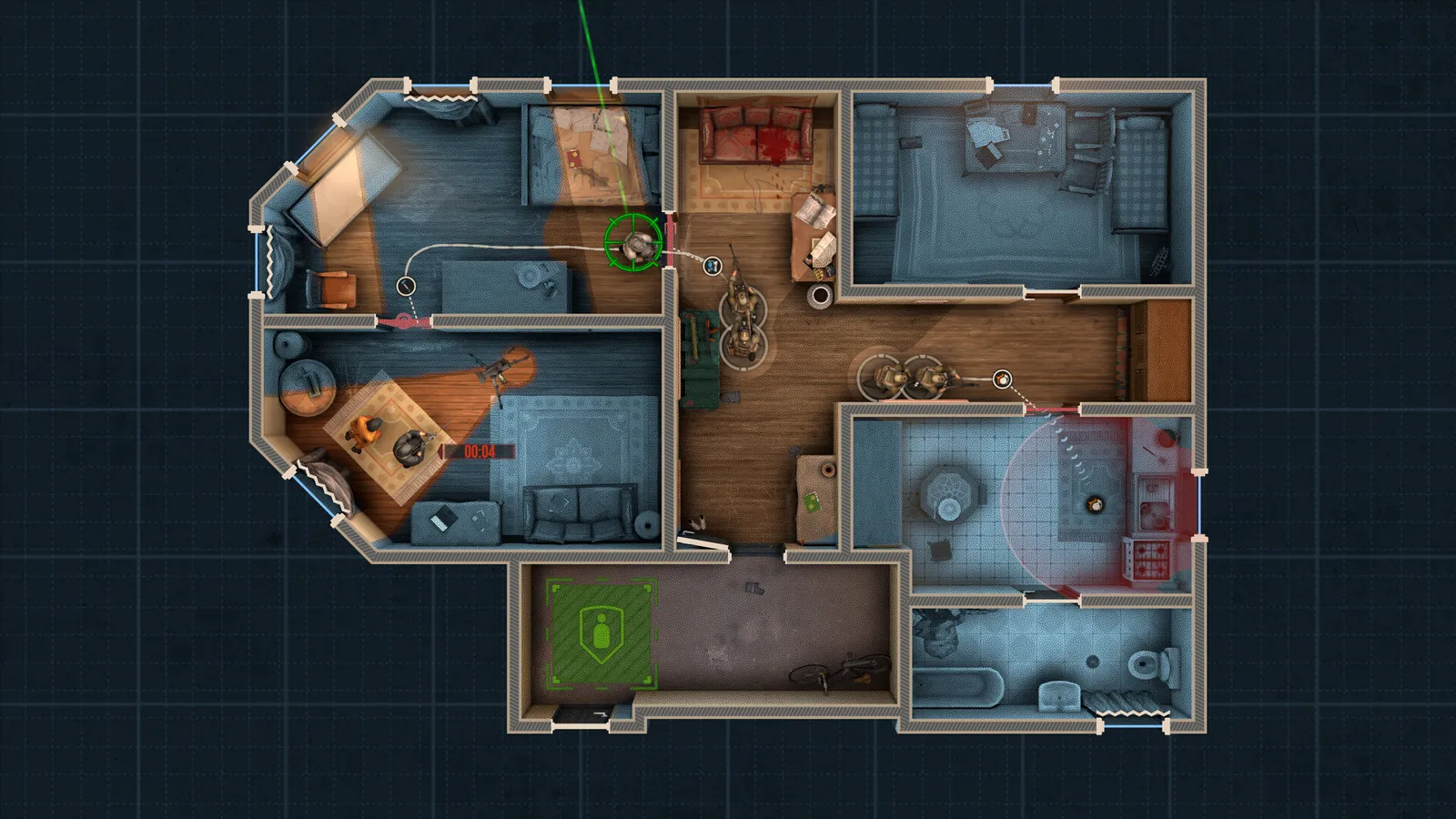
The deploy phase: study the layout and every way in before you place a single path.
Before you draw anything, find every way into the building and, if the mission allows it, a second way out. Rooms with only one door are where squads get stuck in the doorframe. In some missions the deploy map now highlights possible objective locations (a 2025 addition); treat them as leads, not promises, because the developer's own wording is that intel is never 100 percent trustworthy.
What do the three aim orders do?
Aiming is where beginners lose troopers. A path alone makes a trooper look where he walks, which is rarely where the threat is. Hold the right mouse button on a trooper or a path point and drag to set an angle, then add a modifier:
| Input | Colour | What it does |
|---|---|---|
| Right-drag | Yellow | Simple aimpoint: the trooper looks that way for a couple of steps, then goes back to his movement direction. |
| Right-drag + Ctrl | Light blue | Strafe: he walks while holding a fixed viewing angle until another order cancels it. Good for covering a corner while you move past it. |
| Right-drag + Shift | Purple | Slice the pie: he walks the path while turning to face the exact point of the arrow, and keeps doing so until cancelled. This is the room-clearing order. |
A simple habit: use slice the pie on the point man entering a room, strafe for the trooper holding a hallway, and plain aimpoints for the rest. A double click cancels a look-at or run order, and you can force a trooper onto a specific enemy by right-dragging an arrow from the trooper to that enemy. Without such an order the game picks targets itself and tends to go for the most dangerous ones first, such as executioners.
How do go codes work?
Go codes (A, B, C and so on) let you make waypoints wait for a signal. Put "wait for A" on the stack at the door, release A with its letter key (the number keys 1 to 4 trigger them too, and the on-screen buttons work as well), and everybody moves at once. That is the difference between a clean breach and a trooper walking in alone. Actions and waypoints tied to the same go code sync automatically, so a trooper will also wait for a flashbang thrown by a teammate even when no door is involved. A sync order (Ctrl-click) is the lighter version: it keeps troopers in step with each other without you pressing anything. Shift plus a go code is the auto-go shortcut. Note that in online co-op, go codes and the sniper key stop working while the chat box is open.
Which door action should I use?
- Open a door quietly when stealth matters, or kick it when you want speed and do not mind the noise.
- A breaching hammer is faster than a slap charge; slap charges are louder and take longer to set, so cover the trooper placing one.
- Wall breach charges make a new entry point, which also helps against a room whose door is covered.
- The spycam lets you peek around a corner or under a door before you commit.
- Locked and padlocked doors need a tool: a bolt cutter was added at the 1.0 release, and a tec torch cuts through some barred gates (but its light reveals you at night).
Cover, crouching and sprinting
A crouched trooper cannot fire, but he is well protected when he is next to cover (full cover blocks 95 percent of shots after the 1.0 rebalance), and he stands up and aims on his own once the enemy has emptied a magazine. Sprinting is fast but noisy and needs the weapon lowered, and you cannot sprint while fatigued or carrying a shield. Hostages, VIPs, high-value targets and civilians are immune to critical hits, so a stray shot is less likely to end a mission on its own. Suppressed weapons also scare civilians who can see you, and civilians are much more frightened of dead bodies and fighting around them than before. Troopers automatically shoot at enemies who blind-fire around a corner, and a blind-firing enemy counts as 95 percent covered, so do not expect to win that exchange cheaply.
What enemies should I watch for?
- Suicide bombers and fanatics: they do not detonate when high-value targets are in range, and fanatics will not blow up around hostages and VIPs. Shoot them early and from a distance.
- Elites: some enemies boost their friends nearby, so remove the leaders first.
- Hostages alert nearby enemies when they run, so lead them out calmly.
What do stars and medals do?
Every single mission is rated with stars, and extra medals reward specific play styles: finishing with a single plan, with a single trooper (Lone Wolf), without a casualty (Clean Run), undetected, or inside a time limit. They are optional, but they are a good way to learn: replaying a mission for a better result teaches you more than moving on. The game saves your most recent replays so you can watch where a plan broke.
Quick tips
- Cover the breacher. A trooper placing a charge or throwing a grenade cannot defend himself.
- Put two troopers on a wide doorway rather than one: two sets of eyes and two guns.
- Clear a room, and if you leave and come back, clear it again. Enemies can reappear in rooms you have left.
- Do not repeat a failed plan. Change the loadout, the entry point or the timing, not just the same path again.
- Delete a waypoint by holding Delete and clicking it, and use R to add a reload waypoint.
- Use the "?" in the menu for short clips that explain individual mechanics.
Frequently asked questions
Does Door Kickers 2 have co-op? Yes, online co-op for up to four players on Steam, where each player brings a squad. See the co-op guide.
Can I play it on Mac or Steam Deck? Yes. The 1.0 release added native Mac support and the Steam Deck version is playable with touch controls.
Is Door Kickers 2 worth buying if I own the first game? See Door Kickers vs Door Kickers 2.
Next: how the campaign hands out rewards in Door Kickers 2 campaigns, Battle Honors and Intel explained, what to equip in best loadouts, or read the game page at Door Kickers 2. The game is light on hardware, but if you want to check, see system requirements.