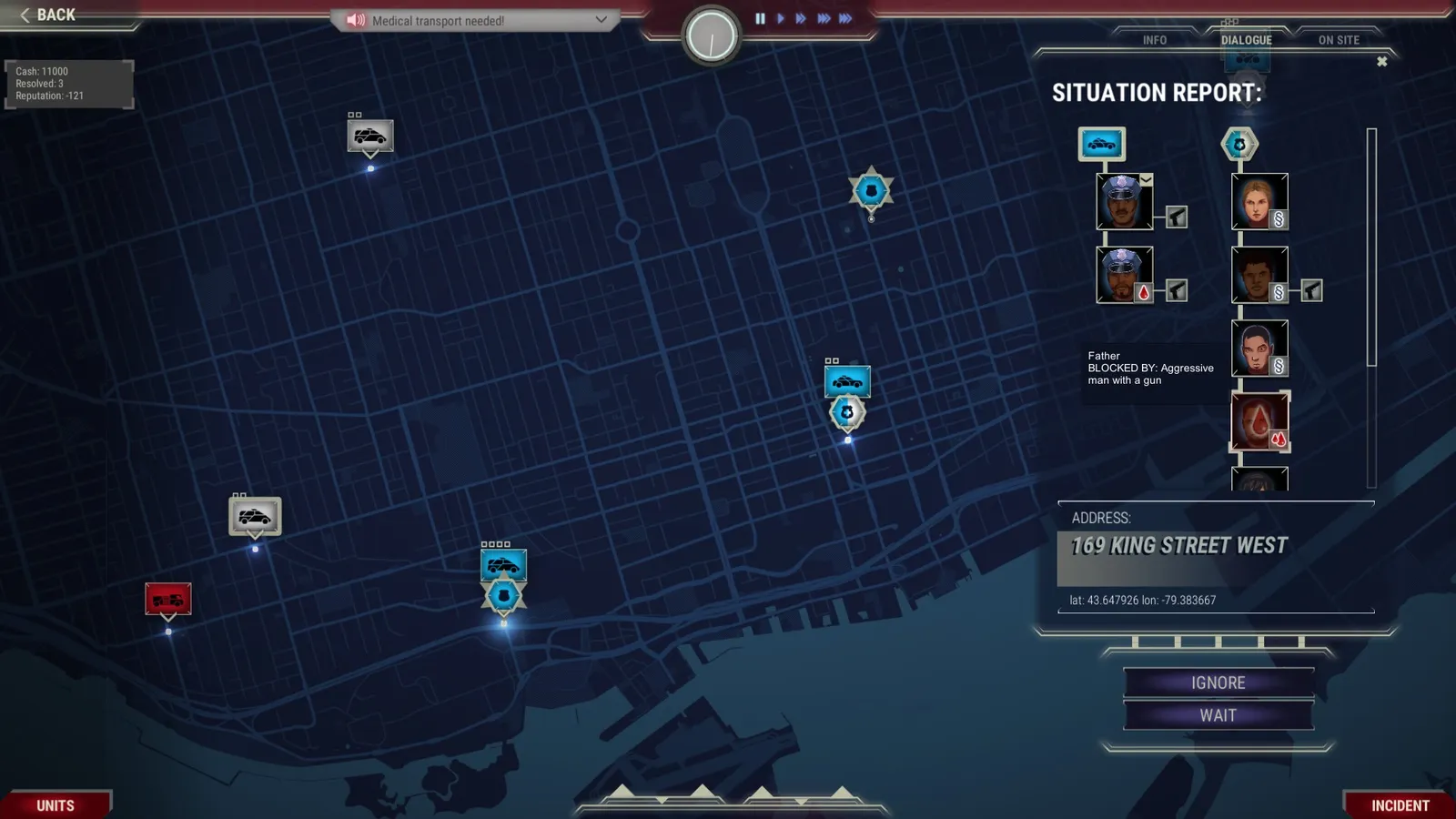
In 911 Operator you answer emergency calls and decide whether the caller needs advice, police, fire, ambulances, or nothing at all. Ask the right questions, send only what a case needs, keep a unit near the scene and stay consistent, and your reputation will rise. Here are the tips that matter in your first shifts.
How does a shift work?
A shift is called a duty and takes about ten minutes. Before it starts you deploy your units around the city, so make sure every part of the map has nearby units of all three types. During the duty, new items appear at the bottom of the screen in two forms: a green headset icon is a new call you must answer, and a red exclamation mark is a new incident reported by another dispatcher, a unit or infrastructure. Each has its own sound. Calls have to be answered within a few seconds or the incident fails. There is no hint what kind of call it will be before you pick up, so use headphones: the voices and background sounds are part of the game.
How do I handle calls in 911 Operator?
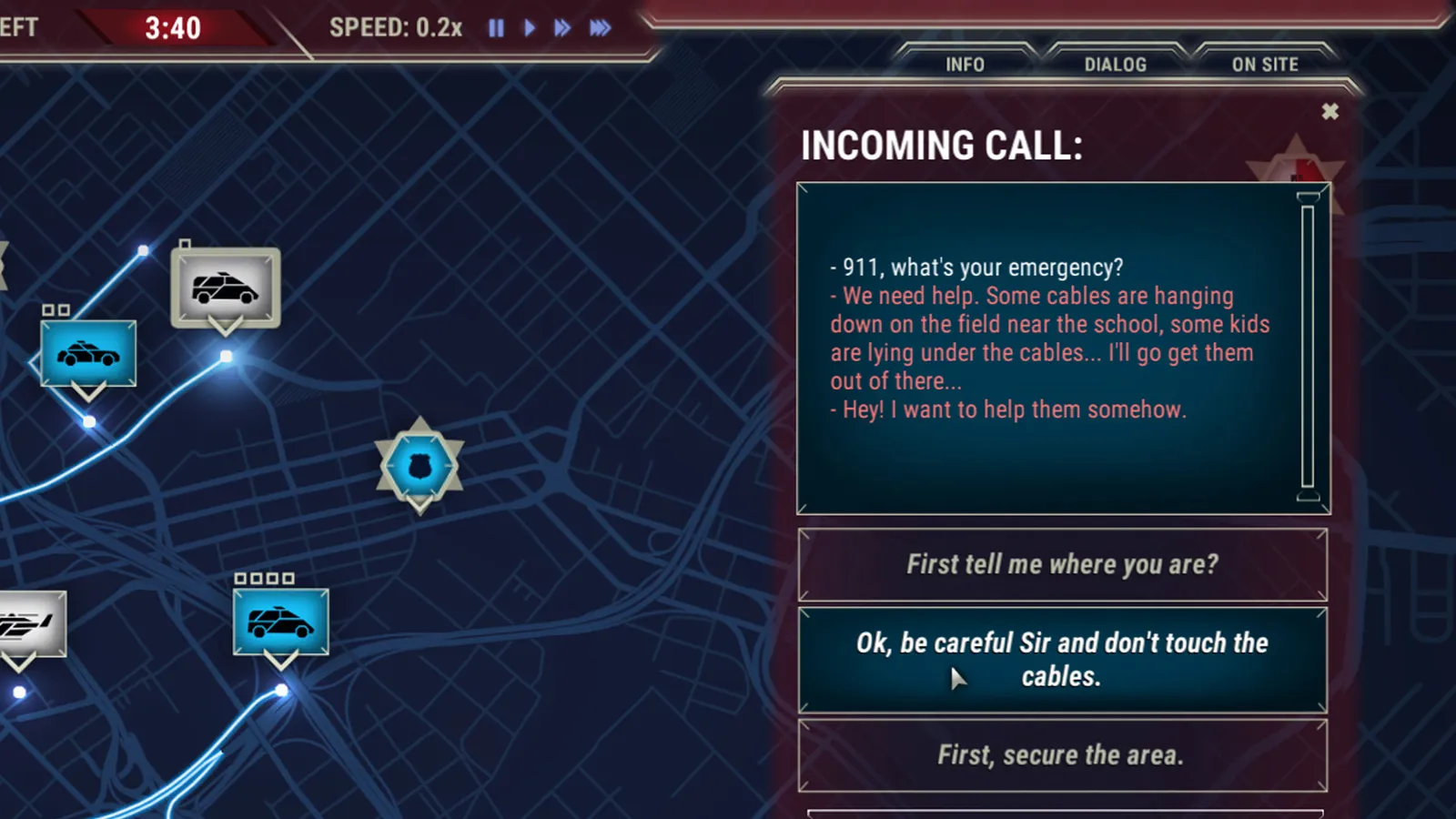
During a call the game slows down and offers questions to ask.
- Ask questions. Ask as many as you can; background sounds on silent calls can tell you a lot.
- Find out where and when. The location comes first, because units are helpless without it. The game also tries to work out the caller's position after a while when a caller will not or cannot say.
- Be kind but firm. Emergency lines are for emergencies; units are limited, so turn down non-emergency calls.
- Stay consistent. If you tell a caller it is not an emergency, do not send units. Inconsistent decisions hurt your reputation.
- Give first aid advice when it is the right answer. Correct advice to a caller can save a life, and one medal is awarded for it.
- Keep callers safe. Tell them to move away from things they cannot handle, such as a burning warehouse.
Time slows while a call is running and you cannot pause or change speed then. If you do not answer during a conversation for a while, the caller hangs up. You can still dispatch units during a call. The game's loading tips reuse a real-life checklist worth knowing: where are you, what happened, when did it happen and is it still going on, who is involved, and does anyone have a weapon. Some calls, such as a cat in a tree, give neither reputation gain nor penalty, so ignoring them is safe. Ignoring most genuine incidents does cost reputation.
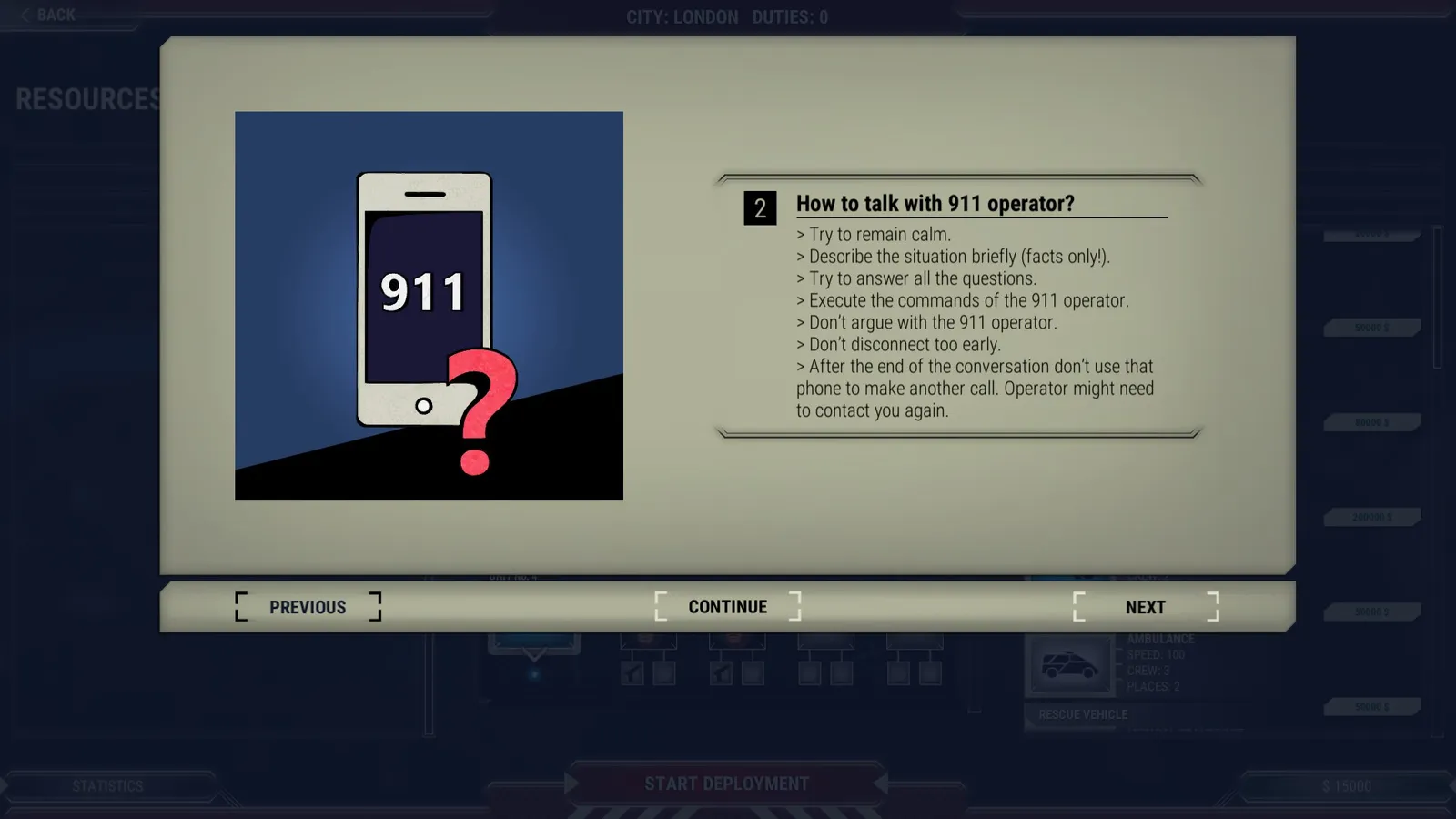
The in-game tutorial explains how to talk to callers.
Who does what: police, medics and firefighters?
| Team | Best at | Vehicles |
|---|---|---|
| Police officers | The only ones who can fine, interview and arrest; they handle shootouts (marksmanship skill). Weak at first aid and technical work. | Police bike, police car, police van, police helicopter |
| Medics | First aid for injured and heavily injured people (first aid skill). | Medical car, ambulance, medical transport, medical copter |
| Firefighters | Fires and technical jobs; poor at first aid. | Fireman's pickup, fire truck, technical truck, helitack |
Any team member can do a little of everything, but much slower: fires and technical jobs can be handled by anyone, though firefighters are far faster. Police and medics can issue a formal statement of death. Equipment such as the first aid kit, technical tools, bulletproof vest and system terminal can be carried by all, and the Special Resources DLC adds more.
How do I read incidents on the map?
- Icon colour shows the service needed: blue for police, red for fire, white for medical. Multi-coloured icons need several services.
- The incident registry in the lower right lists active incidents. New ones are easy to miss, so check it regularly.
- Read the report for the number of injured and suspects. One blood drop means first aid is enough; two drops mean medical treatment and transport to a hospital.
- When units arrive, the On Site tab links each team member to the people and things at the scene: suspects to fine or arrest, witnesses to interview, injured to treat, fires and technical jobs to resolve. Some elements are blocked (an injured hostage held by a criminal) or must be searched for first (a lost child); helicopters and firefighters search best.
- Units on scene appear above the incident icon; a bold box marks the selected units.
How many units should I send?
Send what the case needs, not everything. A full armed crew for a traffic ticket is wasted, and units tied up on a minor case are missing when a serious one comes in. Spread your units across the map at the start of the shift so that the nearest one is never far away, and keep at least one emergency unit on scene until the case is over, so you can reassign the rest. Transport the badly injured and criminals to the nearest hospital or police station, and give units equipment to speed up work on the scene. Over several days, adding units tends to matter more than buying better ones.
How do I spend money between shifts?
The management screen has three columns: resources (things you own but do not use), squads (active staff, vehicle and equipment) and shops. You buy staff, vehicles and equipment there, rename teams and drag them to rearrange. A later update lets you also sell equipment and fire staff, and units of the same type are stacked.
Can I slow down the game?
Yes. Use the time control at the top of the screen to slow or pause the game when it gets hectic; Z slows time and X speeds it up by default. Time also slows automatically during calls, so you can concentrate on the conversation. A setting can muffle the typical calls to make callers harder to hear, which is only for players who want more challenge. On the hardest difficulty reports say pausing is not possible, only slowing to real time.
Quick tips
- Check that units actually arrived; a stray click can stop one short of the icon.
- Do not dial 911 to test it in real life; in many European countries it transfers to the 112 line.
- Start with the Unique Stories Career mode for your first run, see maps and Career modes.
- Earn the medals as you go. See the 911 Operator achievements guide.