How do I show FPS in BG3?
- In BG3, open Steam > Settings > In Game and set "In-game FPS counter" to a corner.
- In BG3, test in the busy Act 3 city and in a big fight, not in the character creator.
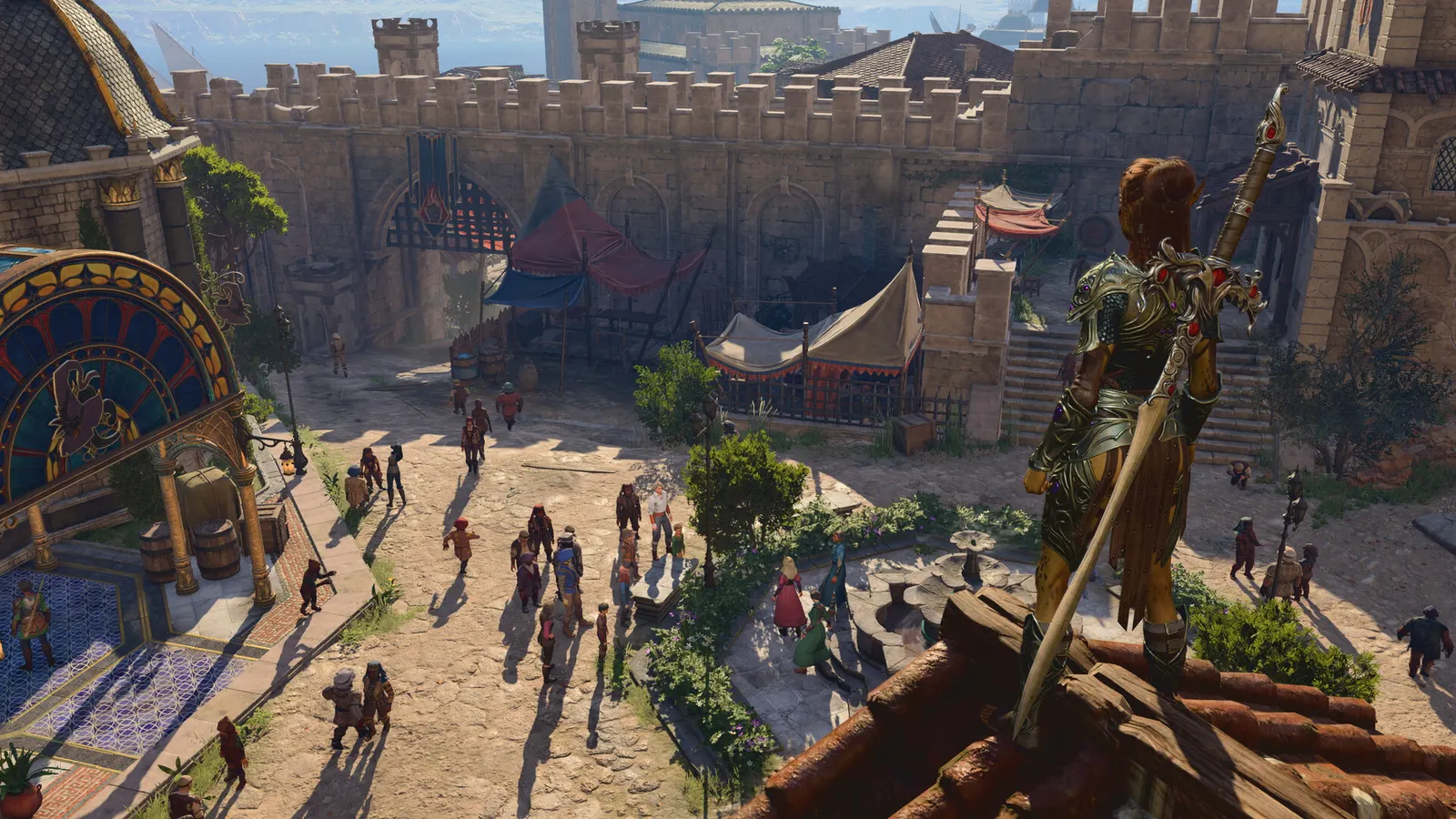
Larian's turn-based RPG. It is an isometric game that mostly leans on the CPU and VRAM: Act 3's big city is where frame rate drops, while shadows, fog and cloud quality are the cheap wins on the GPU side.
Best Baldur's Gate 3 settings at 1080p for an RTX 4060 + Ryzen 5 7600: Ultra, lowering Shadow Quality first. Modelled: that PC gets about 110 fps, an RTX 3060 + Ryzen 5 5600 120 fps (Ultra), a GTX 1650 + Core i5-10400 90 fps (Ultra). Calibrated against 35 measured benchmarks. How we estimate this
Updated . Game data researched November 2026.
The setting for every preset, from Low to Ultra. Save your hardware to get one tuned list.
Set up your rig to see which column fits your PC, with an estimate of your frames.
| Setting | Low | Medium | High | Ultra |
|---|---|---|---|---|
| API | DirectX 11 | DirectX 11 | DirectX 11 | DirectX 11 |
| V-Sync | Off; use G-Sync or FreeSync with an FPS cap instead | |||
| Maximum Frame Rate | 3 below your refresh rate (141 on 144 Hz); uncapped for max FPS | |||
| Model Quality | Low | Medium | High | High |
| Detail Distance | Low | Medium | Medium | High |
| Instance Distance | Low | Medium | Medium | High |
| Texture Quality | Low | Medium | High | High |
| Texture Filtering | Trilinear | Anisotropic x8 | Anisotropic x16 | Anisotropic x16 |
| Animation Level of Detail | Low | Medium | High | High |
| Dynamic Crowds | Disabled | Enabled | Enabled | Enabled |
| Shadow Quality | Low | Medium | High | Ultra |
| Cloud Quality | Low | Medium | Medium | High |
| Fog Quality | Low | Medium | Medium | High |
| Upscaling (DLSS / FSR / XeSS) | Native; DLSS Quality on RTX, FSR Quality on AMD and older GeForce, XeSS on Intel Arc | |||
| Ambient Occlusion | Disabled | Enabled | Enabled | Enabled |
| Depth of Field | Off | Off | Off | Off |
| God Rays | Disabled | Enabled | Enabled | Enabled |
| Bloom | Enabled | Enabled | Enabled | Enabled |
| Subsurface Scattering | Disabled | Disabled | Disabled | Disabled |
Modelled frame rates on the High preset at native resolution, without upscaling or frame generation. Your own rig can differ: check your exact PC.
| Graphics card | 1080p | 1440p | 4K |
|---|---|---|---|
| RTX 4090 | 195 fps | 195 fps | 110 fps |
| RTX 4070 | 185 fps | 115 fps | 60 fps |
| RTX 4060 | 110 fps | 70 fps | 35 fps |
| RTX 3060 12GB | 90 fps | 55 fps | 30 fps |
| GTX 1650 | 40 fps | 25 fps | 15 fps |
| RX 7800 XT | 190 fps | 120 fps | 65 fps |
| RX 7600 | 110 fps | 70 fps | 35 fps |
| RX 6600 | 85 fps | 55 fps | 30 fps |
These are estimates from our model, not measurements; real results vary with the scene, drivers and background load. Orange numbers are below 60 fps. How we estimate this
In BG3, behaviour of launch options can change with patches; community-reported.
In BG3, based on community reports; the game's own benchmark tests use the opening area.
Hey folks, Our last small update, which aimed to resolve corrupted savegames affecting a number of players, seemed to have also introduced some performance issues that triggered crashes. Thank you for your patience while these were…
Read on Steam (opens in a new tab): Hotfix #36 Now Live!Hello friends, The days are getting colder, the holiday decorations are creeping out early, and honestly? We’re leaning into it. It’s been a long year, one that saw Baldur’s Gate 3 receive twelve new subclasses, full cross-play support…
Read on Steam (opens in a new tab): Community Update #36 A Very Moddy Christmas
Hello folks, We’re dropping by to serve up a small hotfix today! Focusing mainly on improving performance, this update should resolve some crashes on consoles and address certain issues on the Steam Deck. We’ve also gone ahead and bumped…
Read on Steam (opens in a new tab): Hotfix #35 Now Live!Update 02/10/2025: We've rolled out a fix which aims to resolve issues with freezing on PS5 when accessing party management. As this fix involves tweaks to controller input, it will need to be deployed on all platforms and it has now been…
Read on Steam (opens in a new tab): Hotfix #34 Now Live! Baldur's Gate 3 Multiclass Guide: Rules, Spell Slots, When to Dip
Multiclassing opens at level 2 through Add Class. Here are the rules, the spell slot table, what stacks and when a dip pays off.
Guide · Baldur's Gate 3
 Baldur's Gate 3 Honour Mode Guide: Rules, Differences and Tips
Honour Mode means one save, redesigned bosses and permanent consequences. Here is exactly what changes and how to prepare.
Guide · Baldur's Gate 3
 Baldur's Gate 3 Best Party Composition: Roles and Companions
Four slots, four jobs. A guide to every companion's role, when to recruit them and how to fill the gaps with your own character.
Guide · Baldur's Gate 3
 Baldur's Gate 3 Best Builds After Patch 8
Five builds that work well in Baldur's Gate 3, with races, ability scores, key picks and gear, plus how multiclassing works.
Guide · Baldur's Gate 3