How do I show FPS in FM27?
- FM27 has no documented in-game FPS counter.
- In FM27, Steam: Steam > Settings > In Game > "In-game FPS counter" and pick a corner.
- In FM27, any store: the NVIDIA app overlay (Alt+Z) or AMD Software overlay can show it.
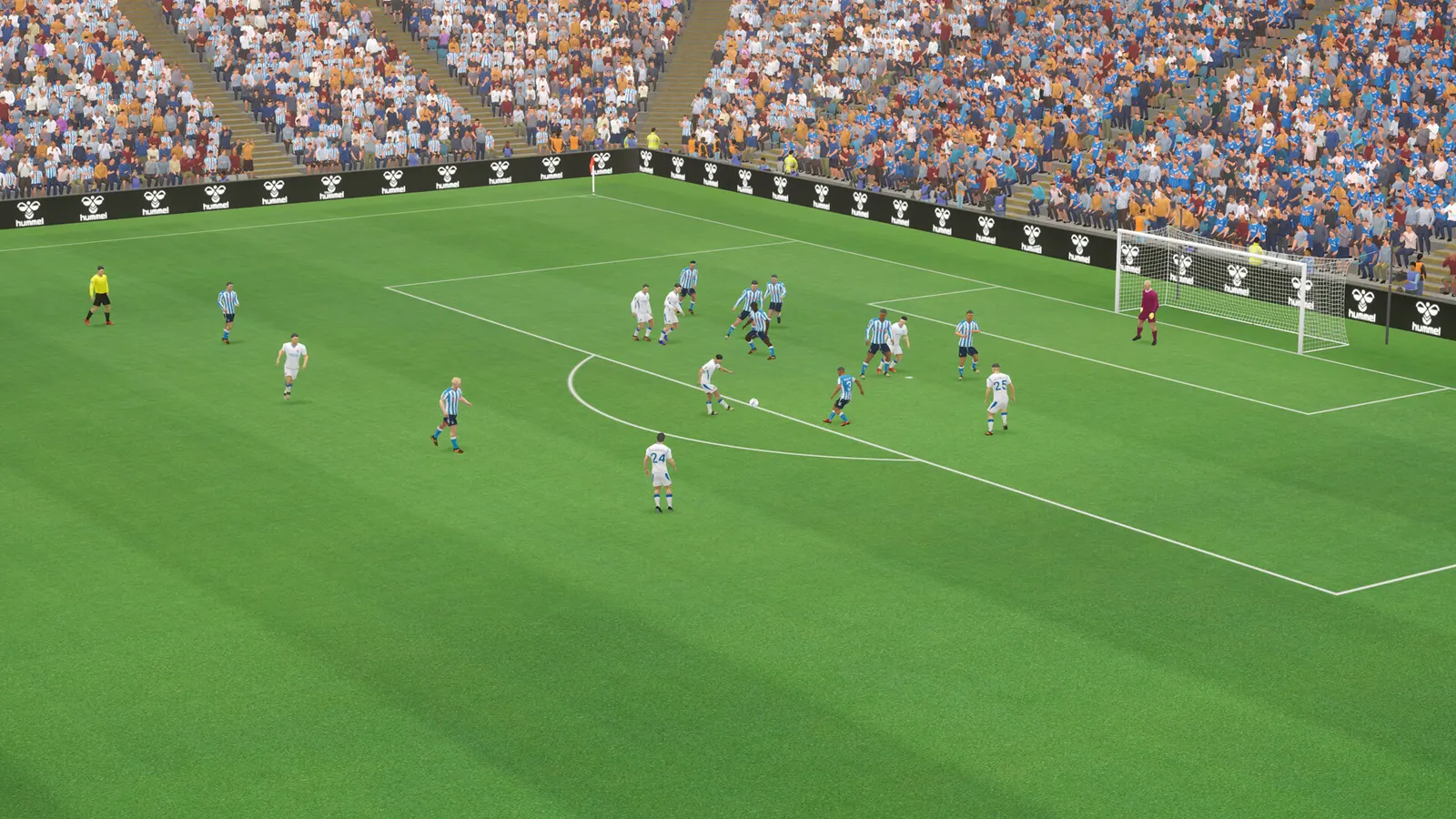
Football Manager 27 is a management game, so it needs far less graphics power than an action game; the load is the match simulation on the CPU and the 3D match view if you watch matches. A modest GPU is enough, and a faster processor shortens the time between days.
Best Football Manager 27 settings at 1080p for an RTX 4060 + Ryzen 5 7600: Ultra. Modelled: that PC gets about 110 fps, an RTX 3060 + Ryzen 5 5600 115 fps (High), a GTX 1650 + Core i5-10400 95 fps (Low). Rough estimate: no published benchmarks yet. How we estimate this
Updated . Game data researched November 2026.
The setting for every preset, from Low to Ultra. Save your hardware to get one tuned list.
Set up your rig to see which column fits your PC, with an estimate of your frames.
| Setting | Low | Medium | High | Ultra |
|---|---|---|---|---|
| Display mode | Fullscreen or Borderless | Fullscreen or Borderless | Fullscreen or Borderless | Fullscreen or Borderless |
| Resolution | Your monitor's native resolution; scale with the upscaler instead | |||
| Scaling | 100% | 100% | 100% | 100% |
| Frame rate | Auto | Auto | Auto | Auto |
| VSync | Off; use G-Sync or FreeSync with an FPS cap instead | |||
Modelled frame rates on the High preset at native resolution, without upscaling or frame generation. Your own rig can differ: check your exact PC.
| Graphics card | 1080p | 1440p | 4K |
|---|---|---|---|
| RTX 4090 | 205 fps | 205 fps | 140 fps |
| RTX 4070 | 205 fps | 150 fps | 80 fps |
| RTX 4060 | 140 fps | 90 fps | 45 fps |
| RTX 3060 12GB | 115 fps | 75 fps | 40 fps |
| GTX 1650 | 50 fps | 30 fps | 15 fps |
| RX 7800 XT | 205 fps | 155 fps | 80 fps |
| RX 7600 | 140 fps | 90 fps | 45 fps |
| RX 6600 | 110 fps | 70 fps | 35 fps |
These are estimates from our model, not measurements; real results vary with the scene, drivers and background load. Orange numbers are below 60 fps. How we estimate this
In FM27, the 3D match is hard to judge from the specs alone; if unsure, try the paid Launch Preview or the demo.
Whether you’re a veteran FM player or about to begin your first save, nothing beats the feeling of starting a new FM career. Football Manager 27 allows you to create your own footballing story, build a legacy and carve your name into the…
Read on Steam (opens in a new tab): Top Tips for Starting Your First FM27 SavePlay FM27 PC/Mac, FM27 Console, FM27 Touch and FM27 Mobile now* and turn your football vision into reality. Experience a new era of squad building in FM27 (PC/Mac), delivering greater control over how your tactical vision takes shape. Flow…
Read on Steam (opens in a new tab): Make The Call: Football Manager 27 is live across platformsOur Football Manager 27 Free Launch Preview may be over, but your career doesn't have to stop there. The FM27 Launch Preview continues now on Steam for players who have pre-purchased the game on PC/Mac. Pre-purchasing also ensures you…
Read on Steam (opens in a new tab): Pre-Purchase FM27 to Play the Launch Preview NowHey everyone, hope you’re doing well, A small update for FM27 is being rolled out now across all platforms supporting the Free Play Launch Preview. This update addresses a couple of reported issues that the team were able to identify…
Read on Steam (opens in a new tab): FM27 Minor Update 1 rolling out now, plus more info on updates