Skip to content
Set up my rig
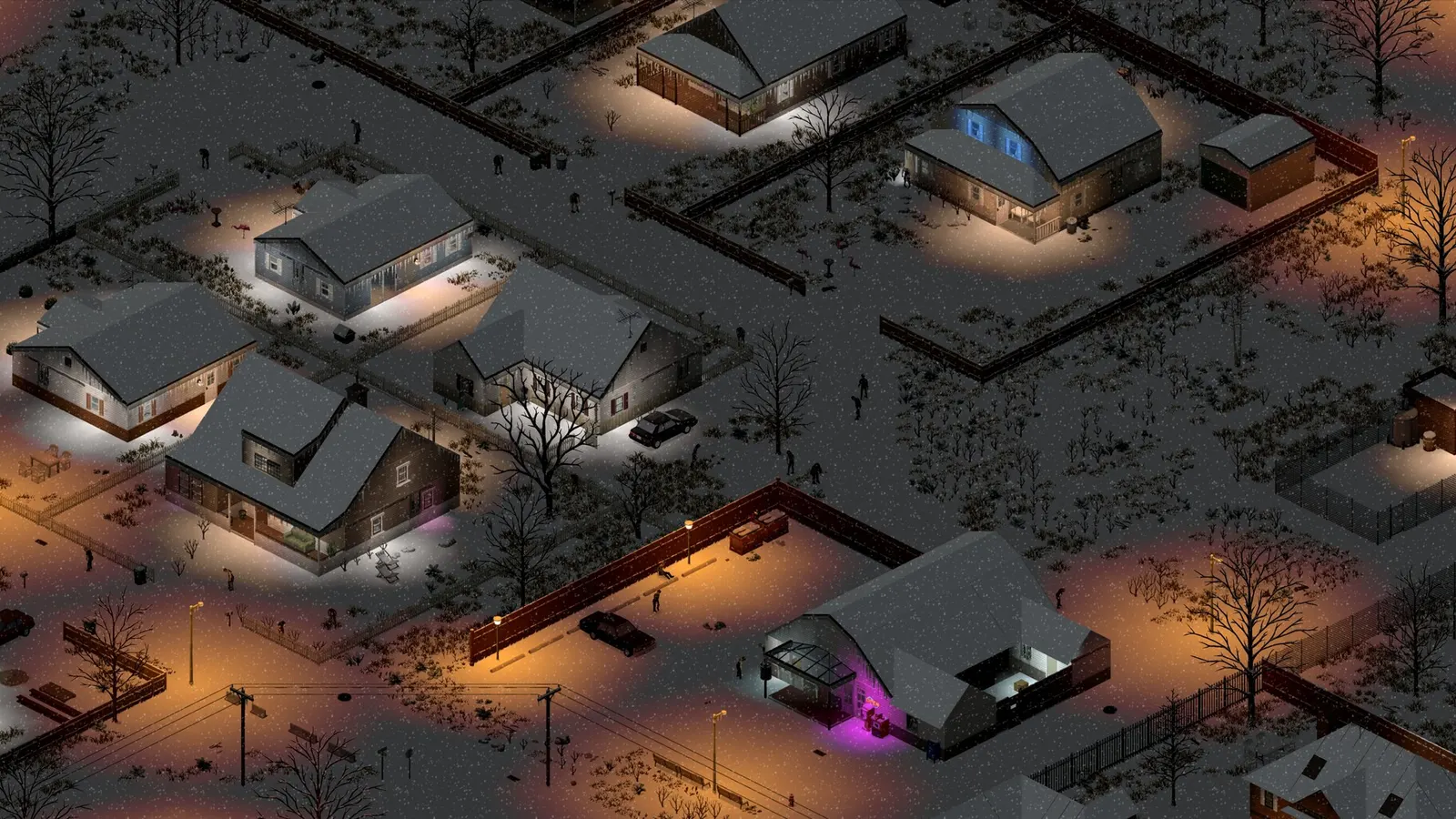
Project Zomboid, official artwork

Best Project Zomboid settings

Project Zomboid is a Java-based isometric survival game that is mostly limited by the CPU and by memory, not the graphics card. Build 42 is noticeably heavier than Build 41, so the biggest wins are a dedicated GPU with enough VRAM, a fast single core, lower zoom and trimming the heavy 3D item options.

Best Project Zomboid settings at 1080p for an RTX 4060 + Ryzen 5 7600: Ultra. Modelled: that PC gets about 175 fps, an RTX 3060 + Ryzen 5 5600 140 fps (Ultra), a GTX 1650 + Core i5-10400 90 fps (High). Rough estimate: no published benchmarks yet. How we estimate this

Updated . Game data researched November 2026.

  • Early access
Genre
Zombie survival sim
Developer
The Indie Stone
Released
2013
Platforms
PC, Mac, Linux
Engine
Proprietary (Java)
Researched
Nov 2026

What are the best Project Zomboid graphics settings?

The setting for every preset, from Low to Ultra. Save your hardware to get one tuned list.

Tell us your hardware once and every game page shows settings for it. Set up my rig

Set up your rig to see which column fits your PC, with an estimate of your frames.

Project Zomboid graphics settings per preset
SettingLowMediumHighUltra
Display mode Borderless or WindowedBorderless or WindowedBorderless or WindowedBorderless or Windowed
Resolution Your monitor's native resolution; scale with the upscaler instead
VSync Off; use G-Sync or FreeSync with an FPS cap instead
Zoom Zoomed in (not at maximum range)Zoomed in (not at maximum range)Zoomed in (not at maximum range)Zoomed in (not at maximum range)
Texture quality LowMediumHighHigh
Shadows, particles, puddles and bloom Off or LowLowMediumHigh
3D item placement Off on weak PCsOff on weak PCsOff on weak PCsOff on weak PCs

How much FPS will I get in Project Zomboid?

Modelled frame rates on the High preset at native resolution, without upscaling or frame generation. Your own rig can differ: check your exact PC.

Estimated Project Zomboid FPS by graphics card, High preset, with a Ryzen 7 7800X3D and 16 GB RAM
Graphics card 1080p1440p4K
RTX 4090 225 fps225 fps225 fps
RTX 4070 225 fps225 fps135 fps
RTX 4060 225 fps155 fps80 fps
RTX 3060 12GB 205 fps130 fps65 fps
GTX 1650 90 fps55 fps30 fps
RX 7800 XT 225 fps225 fps140 fps
RX 7600 225 fps155 fps80 fps
RX 6600 195 fps125 fps65 fps

These are estimates from our model, not measurements; real results vary with the scene, drivers and background load. Orange numbers are below 60 fps. How we estimate this

What are the best Zomboid tips for more FPS?

How do I show FPS in Zomboid?

  1. In Zomboid, Steam: Steam > Settings > In Game > "In-game FPS counter" and pick a corner.
  2. In Zomboid, any version: the NVIDIA app overlay (Alt+Z) or AMD Software overlay.
  3. In Zomboid, for tuning, repeat the same drive on the same save each time and change one thing at a time.

Zomboid: Java memory (-Xmx) is a last resort

  1. The heap limit is the -Xmx line in ProjectZomboid64.json, next to the game's executable. Copy the file first.
  2. In Zomboid, raise it only when you actually run out of memory or the log shows heap pressure.
  3. In Zomboid, leave headroom: giving the game too much steals RAM from Windows and the GPU driver and causes hitching.

Zomboid: Mods are a common cause of stutter

  1. In Zomboid, test on a new save with all Workshop mods off before blaming the settings.
  2. In Zomboid, UI and inventory mods are named most often in community reports.

Zomboid: Driver settings

  1. NVIDIA app > Graphics > Program settings > Project Zomboid: "Power management mode" to "Prefer maximum performance".
  2. In Zomboid, if you see a stutter, test the available video/present options one at a time; results differ between machines.

News from Steam

All news

42.22.2 STABLE Released

Updating your game client and previous, unmodded saves By default your Steam client will automatically update to the latest version of the game, build 42.22. We work to ensure that previous save games can be continued in new versions, and…

Read on Steam (opens in a new tab): 42.22.2 STABLE Released
Project Zomboid, official artwork

42.22.2 Pre-Release Hotfix Released

While this update should not break saves, if you encounter any bugs please ensure you can replicate them on a fresh save with no mods installed before reporting them to our team here. TECHNICAL/DEBUG Fixed integrity checks incorrectly…

Read on Steam (opens in a new tab): 42.22.2 Pre-Release Hotfix Released
Project Zomboid, official artwork

42.22.1 Pre-Release Hotfix Released

While this update should not break saves, if you encounter any bugs please ensure you can replicate them on a fresh save with no mods installed before reporting them to our team here. TECHNICAL/DEBUG Fixed a vulnerability related to…

Read on Steam (opens in a new tab): 42.22.1 Pre-Release Hotfix Released

Moving on Up: 42.22 Pre-Release

Hello again, Survivors! We have news on the upcoming 42.22 Update, available for testing now on our new Pre-Release branch, which replaces the Unstable branch for early testing. Yes, we changed the branch name, as it was causing some…

Read on Steam (opens in a new tab): Moving on Up: 42.22 Pre-Release